A biotech VC website has a narrow job. A founder is deciding whether to take a meeting. A co-investor is checking who you are before they reply. Both are deciding quickly, and neither is reading every page.
Every choice on the page has to help a visitor answer three questions: what do you believe, why should I trust you, and what should I do next. We designed Nucleus, our Squarespace template for biotech and life sciences firms, around those three questions. This post shows how to design a biotech VC website that builds trust, using the Nucleus homepage as the worked example.
The three questions every biotech VC website has to answer
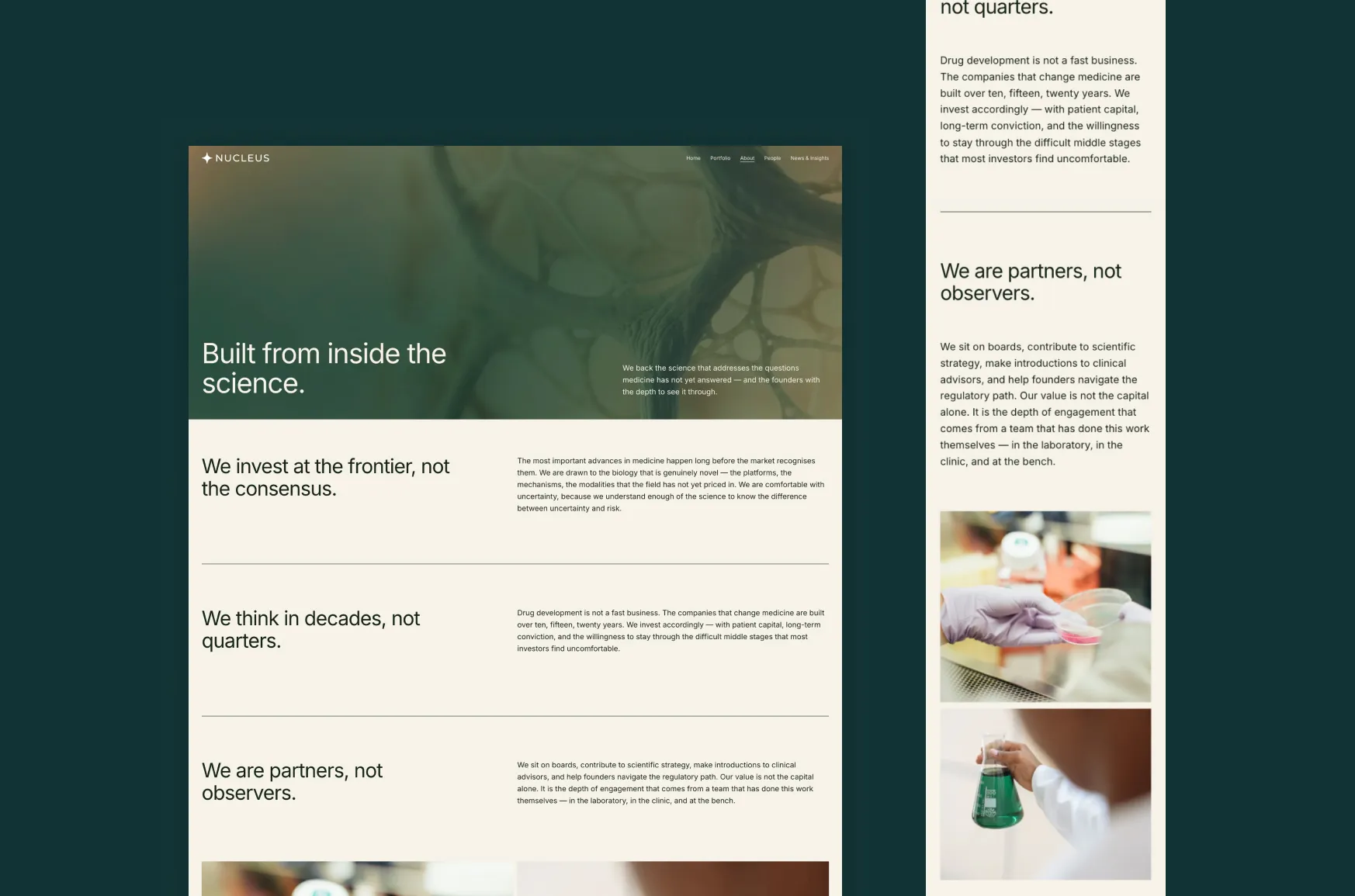
A biotech VC website doesn’t need to tell the whole story at the top. It needs to establish belief, credibility and direction. Open the Nucleus demo and you can see each one answered in turn.
1. What do you believe?
The headline reads, “Science that changes what medicine can do.” That is a thesis in one line. A founder knows what kind of firm this is before they read anything else.
A good thesis line is one a competitor would hesitate to sign. If every firm in your space could put it on their homepage, keep working on it.
2. Why should I trust you?
Under the headline, one line gives the reason to listen: “Built by scientists who became investors.” A little further down, three large figures back it up: the combined value of assets developed, the share of portfolio companies that reached clinical stage, and the years of combined research experience.
Trust comes from a specific claim followed by evidence. Test your second line the same way as the first: could a stranger say it about your competitors? If they could, it isn’t specific enough yet. Keep the numbers to ones you could defend if an investor asked. Three strong figures beat six vague ones.
3. What should I do next?
The navigation gives visitors five routes: Home, Portfolio, About, People and News & Insights. Further down the page, after a statement about the kind of work the firm backs, there is one button: “See Our Portfolio.”
We kept one call to action there on purpose. A visitor who has read a few paragraphs is ready for one next step. Offer three buttons and you ask them to choose.
Logos, insights and founder quotes
Further down the homepage, three sections build trust in different ways.
- A logo row. Logos let a visitor recognize a name, which words can’t do. Use only companies you can name publicly.
- Latest Insights. Four recent articles show that the firm is active and thinking in public. A news section with nothing recent makes a firm look quiet, which is why it sits on the homepage and not only on its own page.
- Founder quotes. Three short testimonials let founders speak for the firm. That carries more weight than the firm describing itself, so use real quotes with real names, titles and permission.
The page closes with a newsletter sign-up under the line “Stay close to the science.” It gives visitors who aren’t ready to reach out a low-pressure way to stay connected.
The five core pages and two post layouts
Nucleus includes five core pages and two single-post layouts:
- Home
- Portfolio
- About
- People
- News & Insights
- People Bio (single post)
- News (single post)
Each page has one job. Portfolio shows what you have backed. About explains how you think. People introduces your partners, and each person’s bio gets its own page, so you can link straight to them. News & Insights holds your articles, and each article uses the news layout.
Keeping each page to one job also makes the site easier to keep current. You always know where a new piece of content belongs.
Three choices behind the layout
- The order does the persuading. The page moves from belief to proof, to one action. Visitors don’t need to work out what to do.
- Plain language leads. The headline says what the firm does without jargon. Your science can go deeper further down the page, where the people who need the detail will look for it.
- Imagery stays copyright-free. The demo uses AI-generated images from Adobe Firefly and photos from Pexels and Unsplash, which you are free to keep. When you have your own lab, team and product photos, use them. Real photos are the most convincing.
Making it yours without breaking it
Most of what you change is content. The demo’s figures, logos, quotes, names and news posts are all placeholders, so swap those first, then adjust colours and fonts once the words are in. We cover the process in How to replace demo content in your Squarespace template without messing up the design.
Before you launch, read the page the way an investor would. Does it say what you do in the first sentence? Can someone find your team in one click? Is there something recent in News & Insights? Our post on what people actually look for when they’re deciding if you’re legit lists what to check.
Building the website for a biotech company rather than a fund? Read: Your next investor meeting is coming. Is your website ready? For the founder’s side of the same question.
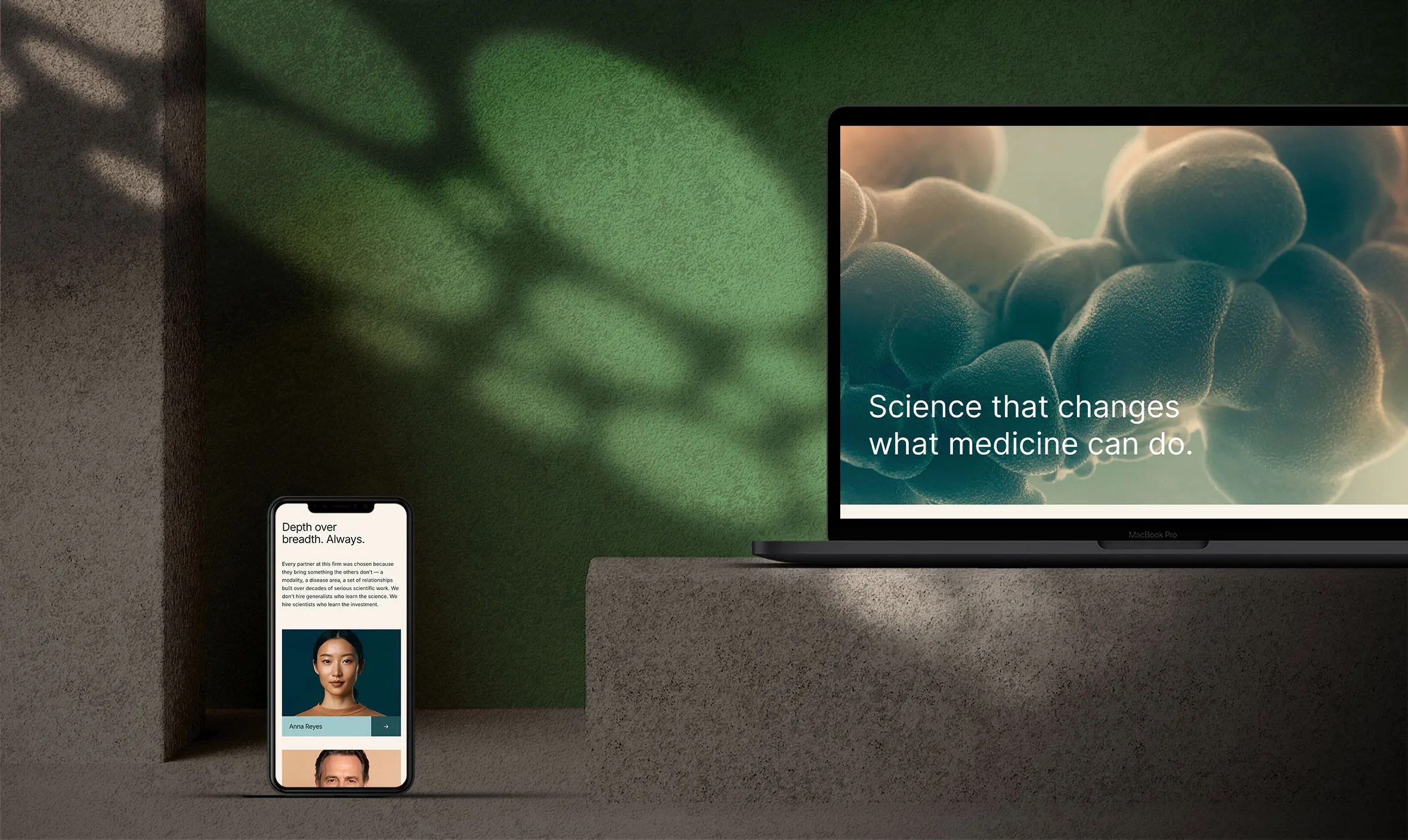
What you get with Nucleus
- Squarespace 7.1 with Fluid Engine, so you edit with drag and drop and no code.
- A new Squarespace site with the template installed. We send you an invite within 24 hours of purchase.
- 60 days of email support for template questions.
- Hosting and a domain are not included. You need a paid Squarespace plan only when you publish.
Want to start with this structure? Nucleus gives you the same Squarespace foundation, so you can change the content, typography, imagery and branding for your own firm. It is $349, and the fall launch sale takes 20% off while it runs.